![]() |
Telescope Photos (other) |
The
This page has info
about the used
Paramount ME that I purchased from
Astromart. I had wanted a
Unfortunately when the mount was first powered up the Dec axis would not move to the home position. I decided to remove the covers and have a look inside. The source of the problems was immediately obvious. Mice had made a home inside the mount. It was filled with nesting, droppings and didn't smell so good. But the worst part was the mice had eaten through a number of the wires inside the mount. The RA and Dec homing sensors had to be replaced as well as the RA and Dec motor cables. The mount was thoroughly cleaned and all the damaged components where replaced. Since the motor cables are part of the motor assembly and I didn’t want to purchase replacement motors, the Software Bisque provided a set of motor extension cables along with the replacement homing sensors. I cut off the damaged section of the motor cables and spliced in the new ones. The mount was reassembled and completely tested. The worm gears on both axis were cleaned and re-greased using the "slew between limits" function from within TheSky6. So far no other problems have been found with the mount.
![]() |
One
of the things I
really like about the
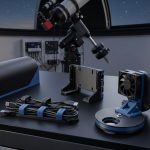
The cables are run through the center of the mount so there are no cables hanging off the the Dec axis to get caught on anything during operation. Currently all the connections that are needed to run the mount and support imaging connect through the lower portion of the mount, The wires with the green and yellow marking carry power to the upper section for the dew controller and laser finder. |
![]() |
Here the Aux cable feed
hole is sealed up with a do-it-yourself cover made from a mailbox
reflector purchased from Home Depot.
It fits perfectly. The holes in cover were drilled to match the existing threaded hole pattern already present on the mount. This is where the mice must have gotten into the mount. |
![]() This is the point were the cables exit the top of the mount at the aft end of the Versa-plate. The versa plate is
used to
|
The cables are routed
through a channel underneath the
Versa-Plate and connect to the auxiliary panel at the back.
The
There currently 2
|
![]() |
In this shot the
The auxiliary cable interface panel can be seen at the back of the upper section of the mount. A generic Short Tube 80 was attached to the Versa plate in order to test the mount. (I hope I am not overloading the mount with that scope.) A
Meade LPI camera was
used as the imager. Again notice there are no cables on the outside of the
mount that connect the upper on lower sections.
|
![]() The custom cradle was built by Andy Homeyer to hold the 10" LX200 |
Since the
I wanted holes fore and aft on both sides of the lower rings. The plan is to attach a set of rails there so the dew controller, and a laser finder can be mounted. Andy used to provide the holes but was a bit reluctant to machine them there because he was worried that accessories or scopes placed there might come in contact with the mount or pier if the user was not careful. He finally agreed to provide them for me so I'll try not to make his fears come true. |
![]() |
The OTA is held in place
by felt lined stainless steel band clamps.
They do a remarkable job of holding the OTA securely. The cradle is held to the versa plate by 4 screws. The base of the cradle is slotted where the screws attach. This allows the cradle to be slid forward or back to aid in balancing the OTA. |
![]() |
In this image the two
stabilizer bars can be seen connecting the front and rear rings.
If you look closely you can see the 4 knobs toward the bottom of the Versa plate. These knobs are used to hold a standard Losmandy 4" dovetail plate. The cradle
obviously must be removed in order to mount the dovetail plate. |
![]() Click the image above for full size version. |
This picture shows the
10” LX200GPS OTA on the Paramount ME.
The Stellervue 102a is piggy-backed on the Meade OTA and the Dew Buster controller can be seen mounted on the front cradle. The power cable is running along the ring stabilizer. As you can see the dew heater strips have not been installed yet (neither has the laser finder) on the left image. |
![]() A full size version can be seen by clicking the image. |
In this image
the Stellarvue F50
finder scope is visible as well as the
Coronado
MaxScope40 Hydrogen Alpha Solar scope.
It is amazing how easy it is to balance this setup.
If I release
the RA or Dec lock the scope stays put. |
![]() A full size version can be seen by clicking the image. |
Just another
angle, this one shows a good shot of the dome.
Now that the Meade 10" has been placed
on the Paramount. Since this picture was taken the tripod has been removed
from the observatory and the
Milburn wedge
seen on the left has since been sold. |
|
|
Here the
wireless remote controlled focuser switch box
can be seen attached to the Versa-Plate.
This allows either of the 2 Meade 1209 Micro-Focusers to be selected. (Note: The switch box has been relocated further up on the cradle to avoid contacting the mount).
|
|
|
The switchbox is shown here in the open position.
This allows access the internal components should maintenance or repair be needed. |
![]() Two Losmandy universal dovetail plates where bolted to the end of the Paramount's Versa-Plate. |
The vertical
plate has a dovetail adapter plate bolted to the underside (not visible).
This allows the vertical plate to be slid from side to side.
Another dovetail adapter plate can be seen on the top side of the vertical plate. A 1.0lb weight is currently attached and can be slid up and down. The purpose of these plates are to aid in balancing the scope when camera(s) are attached to the aft end of the scope. This will cause the weight in the picture to be moved up. If a solar scope or other scope is attached to the rails on either side of the main OTA, the weight in the picture can be moved to the opposite side in order to balance the scope. 12.5lbs of weights can be attached. |
![]() |
|
Telescope: Stellarvue SV102a Focal Length: 890mm Aperture: 102mm Camera: SBIG ST-2000XM Mount: Paramount ME This 10
minute image is unremarkable except for the fact it is an unguided
exposure. That means no active external autoguiding tracking
adjustments where made to the mount during the exposure. Notice the
stars are round. When aren't aligned properly or don't track well the
stars will appear oblong and not round. This is one of the reasons I
wanted this mount. I am sure I can go longer than 10 minutes at this
focal length, I just haven't tried yet. |
![]() Solar viewing setup. Both white light and Hydrogen-Alpha filters can been seen in this view. |
Here the mount
is configured for solar observing. The dew shield has been removed so the
inconel (mirrored) solar filter could be attached to the 10" LX200GPS OTA.
This filter is used for
white light views of the Sun. (It's dusty
and needs to be cleaned) The MaxScope40 is shown hanging from the side of scope cradle. The MaxScope40 provides Hydrogen-Alpha solar views. Here is a remote terminals view from on of the of a solar viewing session.
|
![]() |
|
Telescopes: Stellarvue
SV102apo and Coronado Maxscope40 Focal Length: 890mm and 400mm Aperture: 102mm and 40mm Camera: SBIG ST-2000XM and Meade LPI Mount: Paramount ME The image above is a screen copy from a remote terminal that has accessed the observatory computer via the internet using Remote Desktop. Both images were real-time and unprocessed. The image on the left is feed from the 4" refractor with a Baader while light solar film filter. 2 small spots can be seen (one on the lower right and a faint one toward the upper left). The image of the right is from the hydrogen-Alpha Maxscope40 with a Meade LPI attached (this camera is essentially a webcam). The image on the left is rotated 90 degrees ccw in relation the image on the left . |
![]() Holly rats nest of cables Batman!!! |
Taking a look
behind the scenes there is a lot of "stuff" hanging off the telescope, but
it all serves an important purpose, and is needed because of the
observatory's automation requirements.
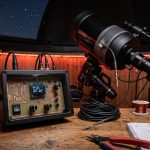
Even though it may not look pretty the cables are either color coded or labeled in order to reduce the chances of connecting the cables incorrectly. This also aids in troubleshooting should something go wrong. Also most of the cables (except for the ones connected the Canon Digital camera ) are routed through the center of the mount so they don't get tangled during operations.
|
| Not all the
cameras used by the observatory are special purpose cameras. The camera on
the left is an off the shelf
Canon 10D Digital Single Lens Reflex (DSLR). This camera is no
different than one you would find in any good camera store. It uses
removable lenses. In this case the lens attached to the camera has a
254 mm aperture with a 2500 mm focal length! Since it can be
used as both an astro camera and terrestrial camera, it can take images
like
this or
this. The camera on the right is a special purpose astrophotography camera. It has no view finder, requires a connection to a computer and is electrically cooled in order to reduce noise. This photo was taken with this camera while attached to a 4 four inch 868 mm refractor (not seen).
|
![]() Smile for the cameras. Here are 2 of the camera used for imaging at the observatory. |
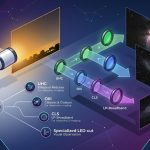
![]() The diagram above shows the Lazyfocus control box (LFCB) connected to the system. The LFCB requires a 9~12 vdc power source. Since I have 2 Meade Micro-Focusrs in use in my system, the output of the LFCB is connected to the wireless switch box. The switch box is software controlled. This allows either Micro-Focuser to be controlled by the LFCB. The LFCB can be used manually via the 3 red buttons on the front. The 2 at the top control the focus in/out positions and the bottom button controls the speed. Pressing it cycle through 3 speeds. The LED to the left indicates when the focuser is on. It can also be used connected to the RS-232 interface, which allows FocusMax to communicate with the LFCB. This is the mode I use it in. |
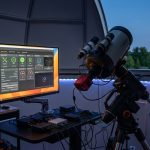
Recently I begin a remote control/automation
upgrade to my observatory. The upgrade uses the ACP software as its
controller. For the software to work properly the equipment needs to be fully ASCOM compliant. The autofocusing is done using FocusMax. My old setup used CCDSoft with Meade Micro-Focusers connected to a Paramount ME. The ME is controlled via TheSky6, and autofocus worked via CCDSoft's @Focus2. The problem was the ACP software can't directly control focusers connected to the Paramount ME. But it can control an ASCOM compatible focuser. The solution was simple, make the Meade focusers stand alone ASCOM focusers. The LazyFocus does just that. More info about the LazyFocus controller can be found here |
| Clicking the image on the right will show a slew of the Paramount ME as it executes what is know as a meredian flip. The video is rather choppy and desn't depict the smoothness of the Paramount. |
![]() |
go
to the JATObservatory
Home page
Updated 07/05/2007- Please report broken links webmaster@jatobservatory.org