




Wireless Automation of Shutters on a Sirius Observatory Home Model equiped with Autodome control board. __________________________________________________________________________________
When I originally purchased my 2.3 meter Sirius Home Model observatory, among the options I selected was motorized rotation with a serial computer interface. This would allow the dome's rotation to be computer controlled, using a combination of hardware and software called Autodome. I also wanted motorized shutters with a computer interface. Unfortunately I was told that there was no current option that had motorized shutters with a computer interface (at least at the time I purchased the observatory). This meant there was no way of opening and closing the shutters remotely or by means of some other automated operation. This was a problem because one of the upgrades to the observatory was a cloud and rain detector that automatically closes the shutters if bad weather rolls in during unattended or remote operation. A few years after the purchase I became aware the manufacturer of the shutter control system had a new system that supports computerized shutters. When I heard about this naturally I was very excited. The excitement ended when I contacted the manufacturer and found they wanted $5200 for the parts and software for an upgrade my system! This was more than the observatory's budget. Even taking away the cost of the motors, the upgrade still would have cost approx $2700. I now had to start thinking about how I could do the automation myself reliably and for under $200.
I searched the internet and I came across a company called Reynolds Electronics. They specialized in remote control and microcontroller products, which folks use to build robots and other projects. One of their products was a wireless encoder/decoder board set that features an RS-232 interface, uses plug-in transmitter and receiver boards that operate at 434 MHz. The decoder board has 4 outputs (D0 through D3). 2 analog relays, each with a Common, Normally Open and Normally Closed contacts. The encoder board also features 2 outputs that each provide +5 volt DC at one terminal, and switched ground at the other. The outputs can be configured as either latched or momentary. Both the encoder and decoder boards can be powered from a +5 to +24 volt DC power source. The Decoder board supports 256 address settings.
When the parts arrived I attached the optional stubby rubber antenna to both the encoder and decoder boards. I also had to solder some short wires on the legs of the transmitter board, because the encoder board was designed to work with a older discontinued transmitter.
WIRELESS ENCODER BOARD (with new transmitter)
The old transmitter used 6 leads. 2 VCC, 2 GND, a data in and RF out. The new 4 lead transmitter had only 1 VCC, 1 ground, data in and RF out. The problem was the leads were in the wrong order and wouldn't interface correctly to the encoder board. The added wire leads solved that problem and the extra VCC and ground connections on the encoder board where ignored. Other than that the receiver was pretty much plug and play.
After everything was setup. I loaded the supplied free PC Remote Control software on my laptop, and set the addresses. The system worked. I was able to control the relays on the decoder board. The next test was to see if the transmitter would talk to the receiver when it was placed in the observatory. It did. I setup the PC Remote Control software to continually cycle the relays on and off for the next 2 days. After that test the relays were set and left for week in the OFF state, and then a week in the ON state with power supplied to the decoder board. This was done to ensure the relays would not change state due to stray RF interference. (If the relays changed state that could cause the dome to either open or close without being commanded to do so...that would not be good). After testing, 2 magnetic reed switches were installed on the dome. The switches and the receiver/decoder board were wired into the factory shutter control system. No factory wiring was changed (or harmed) during the installation. The interface between the new Wireless Shutter Control Box, the magnetic switches and the factory shutter control boxes was done at the terminal block inside each of the factory control boxes.
Description of the computerized operation To control the shutters a command is sent from the Weather Station PC that hosts the "PC Remote Control" software. The PC Remote Control software is used to control the Wireless Shutter Control system. Any PC, laptop, tablet or PDA on the local network can access the Weather Station PC via Microsoft's Remote Desktop software, or a non platform specific software package called VNC.
Opening the shutters
The system is configured so the top shutter opens when a bit pattern of 0001* is sent from the PC Remote Control software to the Encoder/Transmitter attached to a serial port on the Weather Station PC. The Encoder/Transmitter, transmits the 0001 bit pattern along with a sync byte and the address of the receiver/decoder at 434 MHz. (The Receiver/Decoder boards are mounted in a box that I referred to as the "Wireless Shutter Control Box". The WSC Box is installed inside the observatory on the rotational section of the dome.)
* (A bit pattern of 1001 will close relay D0 and D3. This will open only the top shutter (or close only the bottom shutter if it was open). This is useful when imaging objects at, or near the zenith when there are high winds or a possibility of local light pollution straying into the observatory through the lower hatch.)
When the WSC Box receives a valid open command, the DO relay on the Receiver/Decoder board closes. This activates a relay on the factory upper shutter control box. It also opens the D1 relay which in turn open circuits the path with magnetic reed switch installed on the lower dome. That circuit is used to close the upper shutter. (The circuit must be disabled in order to avoid a lock condition that occurs if both the open and close circuit of the upper shutter are enabled at the same time.) When the relay in the upper shutter control box is energized the upper shutter begins to open. When the shutter is fully open, it's backward travel is stopped by means of the factory installed limit switch (not shown). This action causes the magnetic reed switch mounted in the upper dome to automatically close. The closure of the upper reed switch activates a relay in the lower factory shutter control box. The relay then applies power to open the lower shutter. The lower shutter's motion is stopped (when it reaches the full open position) by the factory installed limit switch (not shown).
Closing the shutters
To close the shutters the bit pattern 1000 (8) is sent from the PC remote Control software. The relay (D3) on the decoder board inside the wireless shutter control box is activated. This also opens the D2 relay which open circuits the path with the magnetic switch for the upper shutter. This also disabling the circuit that opens the lower shutter. The relay in the lower shutter control box is now energized and applies power to close the lower shutter. When the lower shutter reaches it's closed position it's motion is stopped by a factory installed limit switch. Once the shutter is in the fully closed position, a magnetic reed switch mounted on the lower shutter closes. The closure of the lower reed switch energizes a relay in the factory upper shutter control box. This closes the upper shutter. The upper shutter's movement is halted after it is fully closed by a factory installed limit switch (not shown).
Upper Factory Shutter Control Box It should be noted that the drawing of the dome side Wireless Shutter Control Box does not show the remote enable/disable switch shown in the above photo. The switch has been installed to break the connection between the COMMON on the factory shutter control box and the COMMON on the wireless board. Without this switch to override the Wireless Shutter Control System, the factory installed manual toggle switches used to open and close the shutters inside the observatory will not operate. The switch is also used to in order to disable the automatic operation of the shutters. This is needed to avoid serious injury when maintenance is being performed if the shutters are closed by a signal from the cloud sensor, or accidentally closed from a remote location.
Receiver/Encoder board shown with rubber antenna installed (during testing).
Temporary Install of the Decoder/Transmitter Board (during testing). (It is important that both the transmit and receive antennas be mounted vertically if use in a dome. Not doing so will cause the antennas to be orientated at right angles to each other at some point during the dome's rotation. This will result in decreased a signal level because the antennas are cross-polarized. This decrease in signal may cause the RF link between the transmitter and receiver to be lost.)
WIRELESS DECODER BOARD atop the Factory Lower Shutter Control Box
The above picture shows the completed install of dome side Wireless Shutter Control System. All the wiring has been cleaned up and the receiver/decoder box has been installed in a project box. The box was then attached to the top of the upper factory shutter control box. The rubber ducky antenna has been relocated to the lid of the project box. The 2 white cables are for the connections to the magnetic reed switches and lower factory shutter control box.
Screen capture of the PC Remote Control Program and Video Monitoring Feeds
On the bottom right side of the screen capture the "PC Remote Control" software that is used to control the shutters can be seen. Here you can see a bit pattern of 0001 has been selected. This will command the shutters to open. Just to the left, 4 commands have been setup to demonstrate control of the dome's shutters. The commands will execute at user specified times. This is useful if an automated program is running that will perform imaging in the middle of the night. The shutters will then close at the user specified time. The 2 upper images are from 2 of the 4 networked camera installed at the observatory. (The panel on the right is used to control the Weather-Cam).
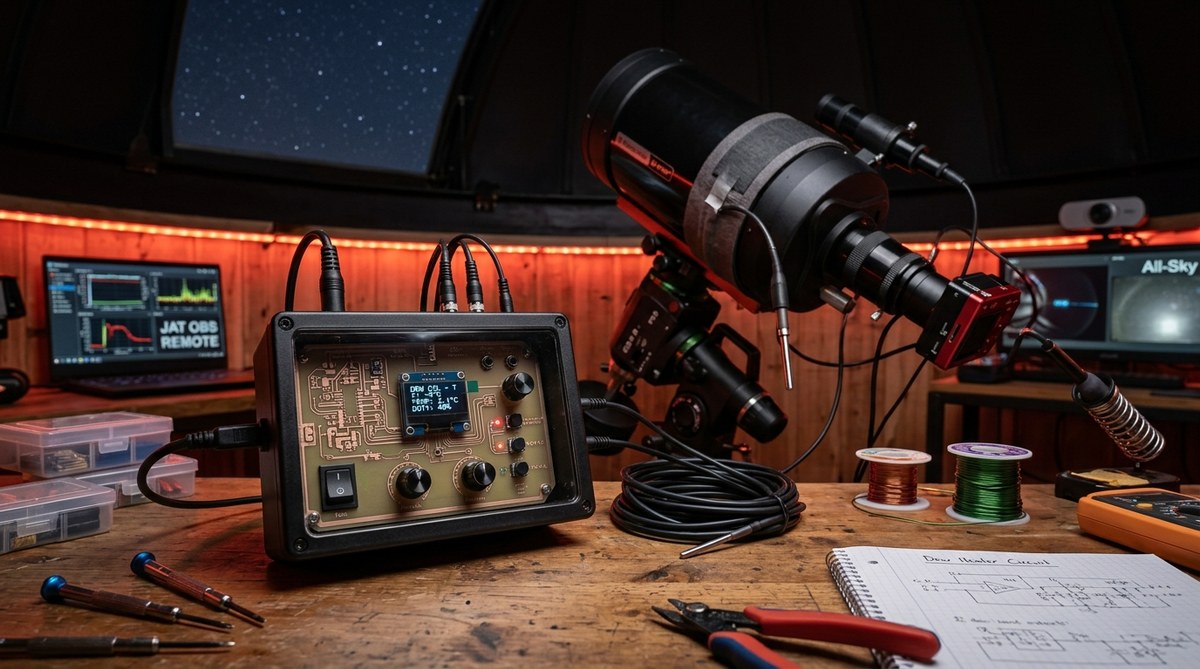
Front and inside images of the Wireless Shutter Control Box Transmitter The above pictures show the final configuration of the wireless encoder/transmitter box. This box is installed inside the house behind the weather computer. Two switches have been mounted on the outside of the controller. On the left is a 2 position toggle switch. The switch is protect by a cove that must be lift before the switch can be used. This switch locks out the closure signal from the Boltwood Cloud and Rain sensor. It does not lockout the computer control of the shutters. The switch is used during system maintenance, repair of Boltwood relay box or software testing to prevent closure of the shutters. The momentary push button on the right allows the dome's shutters to be closed manually from inside the house. *Once pressed (and held for at least 1 second) both shutters will completely close. This is useful for closing the shutters in case of a computer failure. The second picture shows the inside of the project box that holds the two encoder/transmitter boards. The board on the right is the computer controlled transmitter. The 9 pin RS-232 connector can be seen attached to the bottom. The 2 switches are mounted just to the left and right of the connector. (This is the front of the project box.) The circuitry on the left is the back of the box. This section contains the board that is controlled by the switches on the face of the box and by the rain/cloud detector. The antenna has been relocated from the transmitter board and mounted to the top part of the box. The 2 transmitter boards share the antenna by means of wiring harness' that connect the 2 together. The top harness contains the antenna and switch wires. The bottom one is the power cable. The black cylinder between the 2 boards is the line filter on the end of the 5 volt DC power supply. The shutoff circuit of the cloud/rain detector connects to the switch just to the right of the 9 pin serial connector. The total cost of this project was about $200.
Shutter Control GUI Since I originally installed the wireless system I wrote a program in Visual Basic that opens and closes the shutters. A screen shot of the latest GUI is above. There are also both a stand alone Shutters_Open and Shutters_Closed exe programs that can be called from script or other software during automated control of the observatory. As you can see from the above GUI the software now does more than just control the shutters. There are currently a total of 3 wireless remote relay boards installed in the observatory. The second relay board is used to switch control between the 2 Meade micro-focusers attached to the SCT and refractor. More info and details of the focuser switchbox can be found here. The 3rd board is the wireless relay board that controls the dome rotation is wired into the circuitry of the main dome control box for the manual pendant. The dome can be manually remote controlled by means of the 3 buttons on the lower left of the GUI. In addition the Dome rotation power and remote enabled can also be controlled from this GUI (the dome direction buttons automatically enable dome power and remote enable).
* 2/19/05 - UPDATE: When the Boltwood Cloud Sensor was integrated into the wireless remote shutter box the function of the toggle switch and the push button changed. This was due to a required wiring change to the box in order to get the Boltwood unit to close the shutters. **This is done via a simple home built relay box that uses a 5 volt Radio Shack normally open relay. The relay box is a stand-alone box that connects to the Boltwood contact closure line and the momentary push button on the wireless shutter control box. ** It is recommended that a TIP127 (PNP Darlington) transistor be used instead of connecting the Boltwood directly to the relay (Excessive current draw will damage the Boltwood unit. The relay used above only draws 20ma in order to close it). The transistor should be connected as follows: The Emitter to power supply, collector to relay and a 10K resistor from the base of the transistor to the Boltwood output. "When the Boltwood pulls low it will turn on the transistor, and that will power the relay".
* 4/7/05 - UpdateThe shutter control battery was slowing being discharged. The small factory solar panel was unable to over come the discharge rate and keep the battery at full charge. In order to correct this a second solar panel was added along with a solar charge controller.
6/20/05 - Update
The 2 solar panels wired on parallel still proved to not supply enough power to keep the shutter battery charged. The 2 original Sirius factory supplied solar panels were removed and a new 10 watt solar panel was installed. This panel has been in use for over a month at the time of this update and has working with no problems.
1/16/06 - Update One of the problems with this setup was the observatory computer cannot directly control the PC that has the shutter control software. That problem has been corrected and the info can be found here.
Notice: This "how-to" is presented for informational purposes. The JAT Observatory takes no responsibility and shall be held harmless for any damage to any equipment, or personal harm that may be caused by you, or anyone else trying to replicate or implement modifications to your observatory based on the above information. The above also assumes you have some basic knowledge of electronics and soldering skills, and won't do anything stupid. ==============================================================================
Go to the JATObservatory Home page
Updated 09/14/2008 - Please report broken links webmaster@jatobservatory.org